 ScrollTrim
Block Instagram Reels. Keep the app.
Block Instagram Reels, YouTube Shorts, and TikTok’s short-video feed on Android. Keep using the rest of your apps.
Get it on Google PlayBlocking Reels without blocking Instagram requires ScrollTrim Plus, a paid subscription.
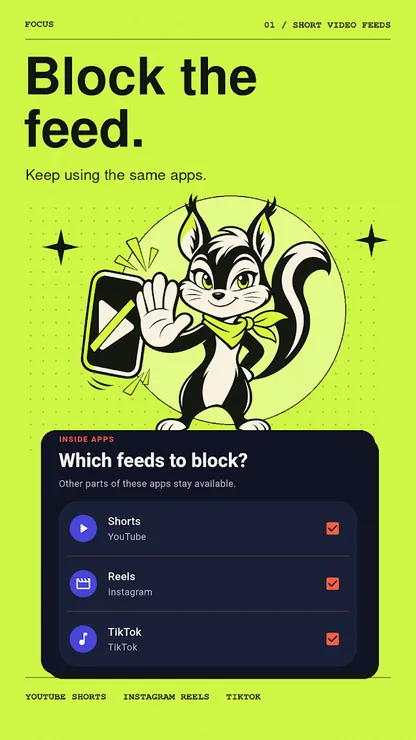
Choose the feeds you want to block
 Instagram Reels
Block the supported Reels feed while keeping other parts of Instagram available.
 YouTube Shorts
Block the supported Shorts feed and keep using the rest of YouTube.
 TikTok
Block TikTok’s supported short-video feed without blocking the entire app.
Supported feeds depend on the apps and versions installed on your Android device.
How to block Instagram Reels on Android
Install ScrollTrim.
Get the app from Google Play and open it on your Android device.
Enable Accessibility access.
Follow the setup instructions in ScrollTrim to enable its Android Accessibility Service. The app uses this access to detect supported short-video feeds and apply your blocking settings.
Choose what to block.
With ScrollTrim Plus, open the feed selection screen and choose Instagram Reels and any other supported feeds you want to block.
You can turn off ScrollTrim’s Accessibility access in Android Settings at any time.
What’s included in ScrollTrim Plus?
ScrollTrim Plus lets you block supported short-video feeds while keeping the rest of the app available. Whole-app blocking and the focus timer are available for free. Current subscription pricing is shown in Google Play or in the app.
FAQ
Do I need Plus to block Instagram Reels?
Yes. Blocking Reels while keeping the rest of Instagram available requires ScrollTrim Plus. Whole-app blocking is available for free.
Can I still use Instagram messages?
Selective blocking is designed to leave other parts of Instagram available, including messaging. Supported blocking behavior depends on the installed Instagram version.
Does ScrollTrim also block YouTube Shorts and TikTok?
Yes. ScrollTrim Plus can selectively block supported YouTube Shorts and TikTok short-video feeds on compatible Android app versions.
Why does ScrollTrim need Accessibility access?
ScrollTrim uses the Android Accessibility Service to recognize supported short-video feeds and apply blocking. You can turn off this access in Android Settings. See the Privacy Policy for details.
Does ScrollTrim work on iPhone?
ScrollTrim is available for Android through Google Play.
Ready to block Reels?
Set up ScrollTrim on Android and choose which supported feeds to block with Plus.